
Microsoft 365 Training for Your Clients' Users
MSPs can offer Microsoft 365 training to the staff at every client: Outlook, Teams, Excel, Word, PowerPoint, SharePoint, Copilot and Windows 11. Courses come from three premium catalogs in Empath Grow.
Not an MSP? Ask your IT provider about Empath Grow.

1,000+
Microsoft 365 Courses and Lessons
350+
Excel Courses and Lessons
150+
Microsoft 365 Courses in Bigger Brains
70
Microsoft Courses in Clip Training
Start Here: Three First Microsoft 365 Lessons for Client Office Staff
Offer this short path to client office staff who use Teams and Excel; choose other app lessons for Outlook-only staff.
- Microsoft 365: Getting Started with Microsoft 365 Curated Collection, 7 min Get oriented to the suite.
- Mastering Microsoft Teams: Chats Curated Collection, 9 min Practice team messages.
- Excel 365 in 30 Minutes - Basics: Creating a New Workbook Curated Collection, 6 min Create a first workbook.
Add the Every Employee baseline for security, AI use and workplace conduct.
A Microsoft 365 Basics Starter Program You Can Offer This Week
For client office staff who use Outlook, Teams and Excel. Swap an app course when a team works in different tools.
- Getting Started in Outlook 365 (Curated Collection, 33 min): handle everyday email.
- Getting started with Microsoft Teams 2026 (Curated Collection, 52 min): learn chats and meetings.
- Complete Guide to Excel 365: Getting Started (Curated Collection, 73 min): begin workbook skills.
- Microsoft Teams Tips (Curated Collection, 20 min): use shortcuts after the basics.
Total course time: 178 minutes. This is a sample your MSP can change to match the client's apps and staff levels.
Assign it as a pathway in Empath Grow; Grow Lite cannot assign or report progress.
Counted from the full course list. The 1,000+ figure is Microsoft 365 courses and lessons in the Curated Collection, whose whole library has 14,000+ courses. Each tile counts one premium catalog.
What Microsoft 365 Training Do Client Staff Need?
Start client staff on the apps they open every day: Outlook for email and Teams for chat, meetings and calls. Then add Excel, Word and PowerPoint, plus SharePoint for shared files. Copilot comes last, for staff who have a license.
Eight Microsoft skill areas of a much bigger library, shown here:
| Skill | Courses and Lessons |
|---|---|
| Outlook (email, calendar) | 90+ in the Collection; also Bigger Brains and Clip Training |
| Teams (chat, meetings, calls) | 60+ in the Collection; also Bigger Brains and Clip Training |
| Excel | 350+ in the Collection; also Bigger Brains and Clip Training |
| Word | 90+ in the Collection; also Bigger Brains and Clip Training |
| PowerPoint | 100+ in the Collection; also Bigger Brains and Clip Training |
| SharePoint and OneDrive | 6 in Clip Training; also the Collection and Bigger Brains |
| Copilot | Dozens in the Collection; 11 in Bigger Brains and 12 Copilot titles in Clip Training (11 in its Copilot channel) |
| Windows 11 | 8 in Clip Training; also the Collection and Bigger Brains |
The full course list has much more, such as more than 40 OneNote courses and lessons in the Collection, plus Planner in Clip Training.
To see what this means for your help desk, read how end user training helps MSPs reduce support tickets.
Courses You Can Offer, by Premium Catalog
Each client can have the Curated Collection or Bigger Brains, premium catalogs you add per client, and you can add Clip Training to either. Each tab shows a sample.
Assigning courses and tracking progress need Empath Grow; Grow Lite is watch-only.
More Than 1,000 Microsoft 365 Courses and Lessons
It covers Excel, Outlook, Teams, Word, PowerPoint and OneNote, plus dozens of Copilot courses and lessons, from seven publishers.
-
Getting Started in Outlook 365, Skillsoft. For staff new to Outlook. 33 minutes.
-
Getting started with Microsoft Teams 2026, Skillsoft. For staff who have not used it before. 52 minutes.
-
Microsoft Teams Tips, BizLibrary Productions. Hidden features and shortcuts. 20 minutes.
-
Complete Guide to Excel 365: Getting Started, Skillsoft. Part 1 of seven, which run up to pivot tables and financial modeling. 73 minutes.
-
Getting started with OneNote, Skillsoft. Taking and organizing notes in OneNote. 47 minutes.
-
Unlocking Productivity With the Microsoft 365 Copilot App, Skillsoft. Copilot for everyday work. 51 minutes.
-
Microsoft Copilot Essentials, BizLibrary Productions. Practical Copilot skills, including judgment and responsible use. 104 minutes.
-
Discovering Copilot on Windows 11, Skillsoft. Windows 11 and the Copilot built into it. 49 minutes.
-
A sample of the Collection's 1,000+ Microsoft 365 courses and lessons; the whole Collection has 14,000+ courses. The rest include more than 200 Office 365 courses and lessons. See the full course list.
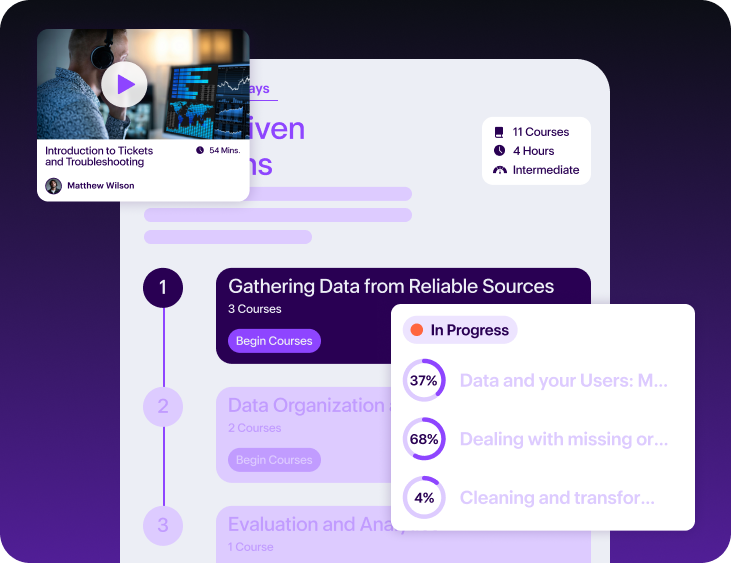
Microsoft 365 and Copilot, Level by Level
For a client that has Bigger Brains instead of the Collection: more than 150 Microsoft 365 and Copilot courses, with Excel in five levels from Beginner to Expert.
-
Intro to Microsoft 365 (2025), Bigger Brains. A first tour of the whole suite. 45 minutes.
-
Saving Time in Outlook, Bigger Brains. For staff who spend the day in their inbox. 34 minutes.
-
Microsoft Teams Fundamentals (2024), Bigger Brains. Working together in Teams. 47 minutes.
-
Mastering Excel 365 - Beginner (2025), Bigger Brains. Level 1 of the five-level Excel ladder. 128 minutes.
-
Excel 365 in 30 Minutes - Getting Started (Basics 1 of 10), Bigger Brains. One of 20+ half-hour courses that fit a working day. 29 minutes.
-
Mastering PowerPoint 365 - Basics (2025), Bigger Brains. For staff who build slide decks. 61 minutes.
-
SharePoint Online Basics (2024), Bigger Brains. Team sites and communication sites. 45 minutes.
-
Copilot for Excel, Bigger Brains. Copilot in spreadsheets; Outlook, Word, PowerPoint and Teams versions too. 46 minutes.
-
A sample of more than 300 courses. The rest include 16 on Word, plus Windows 11 and Copilot Chat. See the full course list.
Microsoft 365 Courses from Clip Training
Clip Training adds 70 courses to either catalog, on the Microsoft 365 apps, Teams, Copilot and Windows 11.
-
Outlook 365 Essentials, Clip Training. The Outlook foundation, for everyone with a work inbox. 196 minutes.
-
Accessing and Navigating Teams, Clip Training. A short first course on Teams. 28 minutes.
-
Mastering Teams Meetings, Clip Training. For staff who host calls, not just join them. 86 minutes.
-
Excel 365 Essentials, Clip Training. For staff who work in spreadsheets. 152 minutes.
-
SharePoint Online Essentials, Clip Training. For staff who keep shared files in SharePoint. 182 minutes.
-
OneDrive, Clip Training. Storing, sharing and syncing work files. 99 minutes.
-
Copilot Prompts for Your Job Roles, Clip Training. Ready prompts, sorted by job role. 62 minutes.
-
Windows 11 Essentials, Clip Training. File Explorer, the built-in apps, tablet tools and keyboard shortcuts. 151 minutes.
-
A sample of 70 courses, 129 hours in all. The rest include Power Users and Pro levels for Excel, Word, Outlook, PowerPoint and SharePoint, plus Windows 11 Foundations and Teams Calling. See the full course list.
Curated Collection or Bigger Brains?
In Empath Grow, each client has the Curated Collection or Bigger Brains, not both.
For Microsoft 365, the Collection is the broader choice. It has more than 1,000 courses and lessons on the apps, and it already includes Bigger Brains courses, plus hands-on labs and AI roleplays.
Bigger Brains is smaller, and more than half of its courses are on Microsoft apps, Copilot among them. It suits a client that wants a short, focused list.
Premium catalogs work the same on Grow and Grow Lite. Grow Lite is watch-only: staff watch courses from a library, and you cannot assign them. For costs, see plans and pricing.
Training Your Own Team Too?
The same topics are in every Empath Learn seat for your own staff, through the Curated Collection, and Clip Training can be added for your team as well. Learn also has Empath's own courses on Copilot, plus two for the help desk, on OneDrive sync and Outlook tickets. See software training in Empath Learn, or training for help desk technicians.
Training for Your Clients' Other Teams
Your clients' other teams have their own pages: one for every employee, one for customer-facing staff and one for managers and supervisors.
Each premium catalog on this page has its own page too: the Curated Collection, Bigger Brains and Clip Training. Or browse the full Empath course catalog.
Questions About Microsoft 365 Training for Your Clients
Short answers for MSPs choosing Microsoft 365 training for client staff.
Where can my clients' staff get Microsoft Office training?
Your clients' staff can get Microsoft Office training through you, with Empath Grow. You add a premium catalog for the client, and its staff take courses on Outlook, Teams, Excel, Word, PowerPoint and SharePoint. The Curated Collection has more than 1,000 Microsoft 365 courses and lessons. Bigger Brains is the other choice, and Clip Training adds to either.
Which Microsoft 365 catalog fits a client on Grow Lite?
Any of the three premium catalogs in Empath Grow fits a Grow Lite client. Premium catalogs work the same way on Grow and Grow Lite, so the client can have the Curated Collection or Bigger Brains, plus Clip Training. Grow Lite is watch-only: staff pick courses themselves, and assigning is not available. Short courses suit that well, such as the Excel 365 in 30 Minutes series from Bigger Brains.
Should a client get the Curated Collection or Bigger Brains for Microsoft 365?
The Curated Collection is the broader choice: it has more than 1,000 Microsoft 365 courses and lessons. In Empath Grow, each client has the Curated Collection or Bigger Brains, not both. Bigger Brains suits a client that wants a shorter list: more than 150 Microsoft 365 and Copilot courses. Clip Training adds to either.
Can my clients' staff learn Copilot inside Outlook, Excel and Teams?
Yes, all three premium catalogs in Empath Grow teach Copilot inside the apps staff already use. Bigger Brains has Copilot for Excel, plus versions for Outlook, Word, PowerPoint and Teams. Clip Training has Copilot in Microsoft 365 Office Apps. The Curated Collection has Skillsoft courses on Copilot in Word, Outlook and Teams. Some Copilot courses assume the learner has a paid Copilot license.
Which catalogs have SharePoint and Microsoft Teams training?
All three premium catalogs in Empath Grow have both. For SharePoint training, Clip Training has three levels: Essentials, Power Users and Pro, plus Mastering SharePoint Online. For Microsoft Teams training, the Curated Collection has more than 60 courses and lessons, Bigger Brains 9 courses and Clip Training 10, from a first look at Teams to meetings, chat and calls.